How to Save and Preserve Ultrasound Scans: Step-by-Step Guide for Thermal Prints & Digital Copies
DearBaby Editorial Team
Family Keepsake Specialists
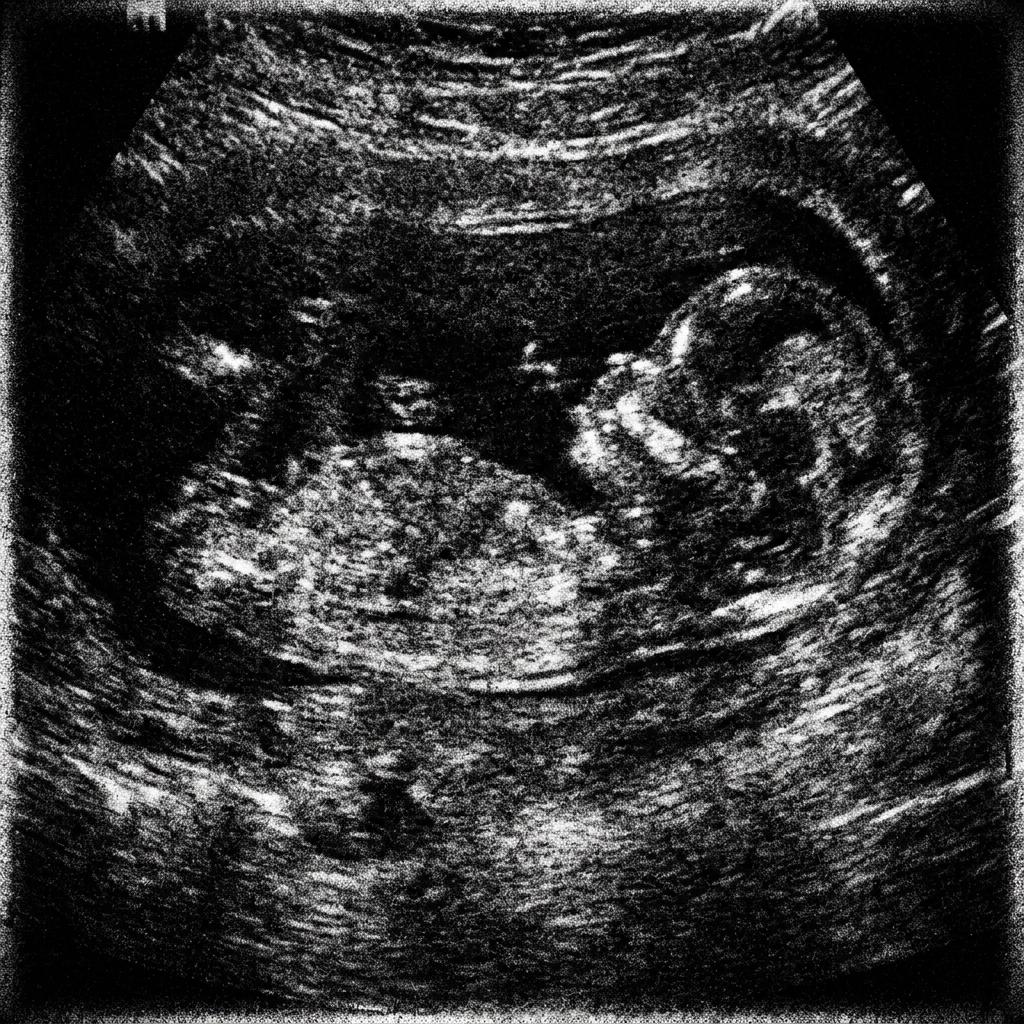
- Identify your print type: Most clinic black-and-white sonograms use thermal paper that reacts permanently to heat, sunlight, and plasticizers.
- Never use hot laminators on thermal ultrasound prints—heat turns the entire paper pitch black immediately.
- Digitize promptly using a flatbed scanner (600 DPI) or a smartphone camera in indirect natural daylight.
- Store original prints in acid-free, PVC-free paper sleeves inside a dark, climate-controlled container.
- Organize your digital ultrasound files alongside gestational dates and notes using dedicated keepsakes like [DearBaby](/create).
The safest way to save ultrasound scans and photos is a two-step approach: digitize your prints in high resolution as soon as possible after your appointment, and store the physical originals in an acid-free, UV-safe environment away from heat.
Many clinic ultrasound prints are made on heat-sensitive thermal paper rather than standard photograph paper. Because thermal coatings react to warmth, direct sunlight, and everyday friction, improper storage can cause delicate scans to yellow, turn black, or fade away within a few short years.
Whether you are holding an early 8-week dating scan, a 12-week nuchal translucency image, or a 20-week anatomy photo, this guide outlines practical steps to protect both your physical prints and your digital copies without risking accidental damage.
1. Identify Your Print Type: Why Paper Matters
Thermal paper vs. photographic paper vs. clinical digital files
How you preserve an ultrasound photo depends on the print material used by your healthcare provider or private scan clinic. In practice, ultrasound imagery is delivered in three primary formats:
1. Direct Thermal Paper: The majority of routine hospital and OB/GYN black-and-white prints use direct thermal paper rolls (similar in chemistry to supermarket receipts, but thicker). Instead of ink, tiny heated printer pins activate heat-reactive dyes embedded in the paper coating. Because the chemical dye remains active on the sheet, any future exposure to heat, sunlight, or chemical adhesives can permanently alter the image.
2. High-Gloss Photo Paper: Private elective 3D/4D scan studios often use traditional inkjet or dye-sublimation photo printers on glossy photo stock. These prints handle light and normal handling better than thermal paper, but they still remain susceptible to fingerprint oils, moisture, and ultraviolet degradation.
3. Digital Direct Portal / CD / Flash Drive: Many modern ultrasound clinics now export raw digital images (DICOM, JPEG, or MP4) directly into patient portals or flash drives. These digital files represent the cleanest source image and should be downloaded and backed up immediately.
- Thermal prints feel thin, lightweight, and smooth, often curling slightly off the printer roll.
- Thermal coatings are sensitive to heat, UV rays, pressure scratches, and oil from skin.
- If your clinic offers a digital portal download, always grab the raw digital files in addition to any paper copies.
2. The Major Mistake to Avoid: Never Laminate an Ultrasound Scan
Thermal laminating machines permanently blacken thermal prints
One of the most frequent and irreversible mistakes parents make is taking their favorite ultrasound scan to a copy shop or home laminator to "protect" it.
Standard thermal laminating pouches pass documents through heated rollers operating between 100°C and 150°C (212°F–300°F). When a thermal ultrasound print enters that heat, the chemical coating across the entire page activates simultaneously, turning the print completely and irrevocably black within seconds.
If you want a durable laminated display copy for a nursery pinboard or scrapbook, make a high-resolution color photocopy onto ordinary paper first, and laminate only the photocopy.
- Never run original ultrasound prints through hot thermal laminators.
- Avoid sticky tapes and standard adhesives directly on thermal paper; glue adhesives can cause rapid discoloration.
- If physical lamination is strictly desired, only use cold self-adhesive sheets on a duplicate print.
3. How to Scan and Digitize Ultrasound Photos Step-by-Step
Capturing clear digital master files at home
Digitizing your scans ensures that no matter what happens to fragile paper originals, your baby’s earliest image remains safe. You can digitize effectively using either a dedicated scanner or your smartphone:
Method A: Using a Flatbed Scanner
• Set your scanner software to Color or Grayscale at 600 DPI (dots per inch). Higher DPI allows you to zoom in on tiny facial profiles and fingers without pixelation.
• Turn off "auto-contrast" or "auto-enhance" filters, which can over-sharpen or wash out delicate tissue grayscale gradients.
• Save the primary file in an uncompressed format (such as PNG or high-quality JPEG).
Method B: Using a Smartphone Camera
• Find a flat surface near indirect natural window light. Avoid direct glaring sunlight or yellow indoor light bulbs that cause glare on glossy coatings.
• Lay the print completely flat. If the edges curl, gently anchor the white borders using clean paperweights (do not cover the image area).
• Hold your phone directly parallel over the scan to prevent keystoning and perspective distortion.
• Tap to focus on the central embryo or fetus outline, ensure no shadows fall across the frame, and capture the photo in full resolution.

4. Physical Archival Storage: Keeping the Original Safe
Archival envelopes, temperature control, and display precautions
If you enjoy keeping physical keepsakes alongside your digital timeline, following proper archival preservation practices will extend the readable lifespan of your paper print:
• Acid-free and PVC-free sleeves: Avoid standard cheap plastic sheet protectors, which often contain Polyvinyl Chloride (PVC). Over time, PVC breaks down and releases acidic plasticizers that bond to and peel away thermal coatings. Choose archival polypropylene, polyester (Mylar), or acid-free paper envelopes.
• Dark, cool, and dry storage: Keep your sleeved scans in an archival storage box inside an interior closet or bedroom drawer. Avoid storing keepsakes in attics (which experience extreme heat cycles in summer) or basements (which suffer from moisture and humidity).
• Framing tips: Never place an original thermal ultrasound in a frame exposed to direct sunlight or warm halogen lamps. If you want to frame the image, frame a photographic reprint and store the original safely in your keepsake box.
If you are also collecting tangible items like appointment cards and hospital wristbands, read our detailed guide on building a digital vs physical baby memory book.
5. Organizing Your Digital Scans with DearBaby
A thoughtful, dedicated space for prenatal milestones
Saving an ultrasound image to your phone camera roll is a great start, but over months of daily photos, screenshots, and videos, that precious scan often gets lost in thousands of unrelated camera pictures.
Using a private keepsake tool like DearBaby allows you to organize your ultrasound scans chronologically by pregnancy week (e.g., "Week 12: First Glimpse" or "Week 20: The Anatomy Scan"). Along with the scan, you can record a short audio voice note describing how you felt in the clinic room and write down your doctor’s measurements and notes in one place.
DearBaby is designed as a calm, personal keepsake for expecting parents. While digital platforms make organization simple and convenient, no single cloud system replaces good personal backup habits: we always encourage parents to keep both a local copy on their computer or personal drive and an organized keepsake online.
For parents interested in pairing their ultrasound photos with spoken reflections, explore our guide on why audio keepsakes and heartbeat recordings matter.
- Add gestational week milestones, doctor notes, and anatomical details alongside each scan.
- Pair the visual image with a voice note recorded right after your appointment.
- Keep your memories private by default, with optional password-free view links for close family.
Start saving your baby’s story today
Save ultrasound scans before they fade, record heartbeat voice memos, and write letters in an intimate private digital space.
Frequently Asked Questions
How long do ultrasound pictures last before fading?
Unprotected thermal ultrasound pictures typically begin showing signs of fading or yellowing within 1 to 5 years, particularly when stored in warm rooms, exposed to sunlight, or kept in PVC plastic. Scans stored in dark, climate-controlled, acid-free archival enclosures can remain legible significantly longer.
Can you laminate an original ultrasound picture?
No, you should never laminate an original thermal ultrasound scan with a standard heat laminator. Thermal paper darkens when exposed to heat, meaning the laminator will turn the entire document pitch black within seconds and permanently ruin it. If you want a laminated copy, laminate a photocopied reproduction instead.
What is the best scanner resolution for ultrasound photos?
A resolution of 600 DPI (dots per inch) is ideal for scanning ultrasound prints. It captures the subtle grayscale shading and anatomical details without over-processing the image.
Can a faded ultrasound picture be restored?
Once thermal paper chemically darkens or bleaches from light, physical chemical restoration is usually impossible. However, if you take a high-resolution scan of a faded print, photo editing tools can frequently boost contrast, adjust midtone curves, and recover legible details digitally.
Is it safe to take a photo of an ultrasound with a smartphone?
Yes, taking a photo with a smartphone is one of the easiest, safest ways to preserve your scan immediately after leaving the clinic. Use indirect natural light, avoid harsh overhead glare, hold the lens flat and parallel to the paper, and save the file in your photos app or cloud keepsake.
Preserve Their First Portrait with Confidence
An ultrasound scan is more than just a medical printout—it is your child’s very first portrait and a milestone you will cherish for decades to come.
By digitizing your scans promptly, handling thermal paper with proper care, and organizing your memories thoughtfully in [DearBaby](/create), you can ensure these early moments remain vivid, accessible, and ready to share when your little one grows up.
More Guides You Might Love
How to Preserve Pregnancy Memories: 7 Creative Ways to Remember Every Moment
A comprehensive guide on preserving pregnancy memories—from digital keepsakes and ultrasound scans to heartfelt voice notes and letter writing.
Why Audio Keepsakes Are the Most Emotional Pregnancy Memories You Can Save
Discover the unmatched emotional power of voice notes, audio letters, and heartbeat recordings before your baby arrives, and how to preserve them forever.